Breadbox
A workbench for building, running, and debugging Arduino circuits — with 2D/3D views, transient simulation, and a circuit assistant.
I’m building this because I want a circuit simulator to show the parts that usually get hidden: the code, the wiring, and the physical behaviour.
- Status
- Active Development
- Stack
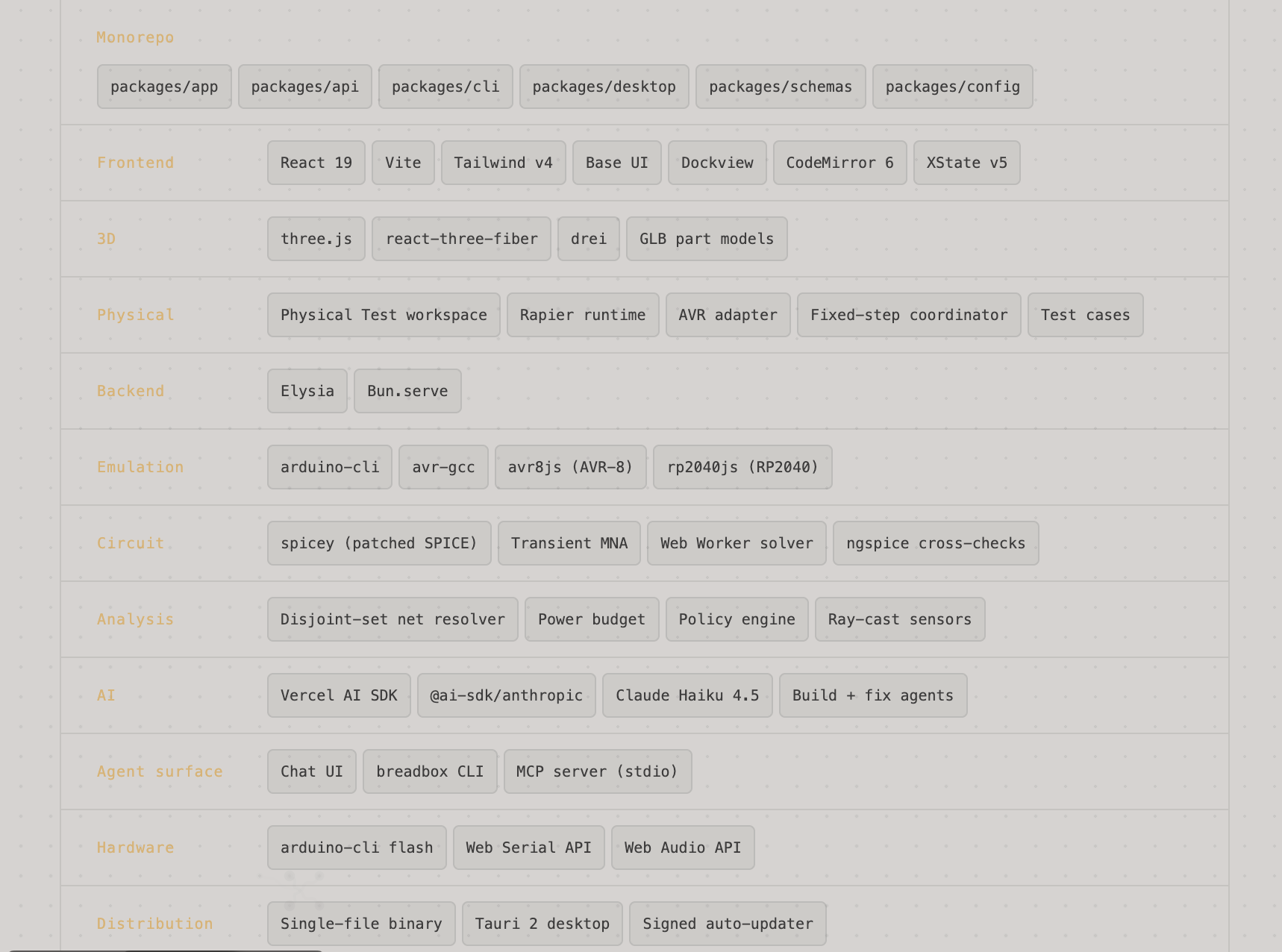
- React 19 · TypeScript · Bun · avr8js · spicey (SPICE) · three.js · Rapier · arduino-cli · AI SDK · MCP · Tauri
- Links
- GitHub
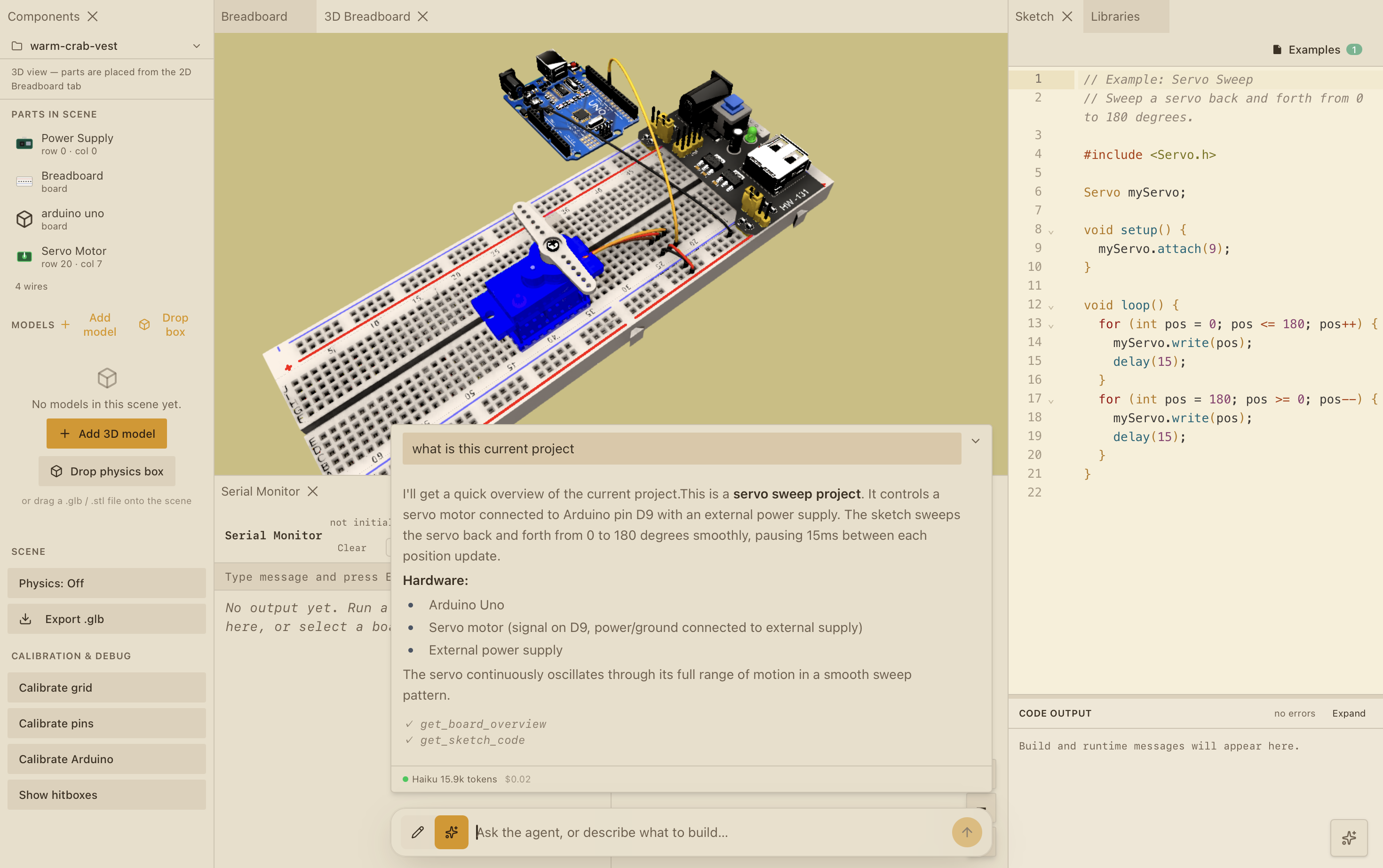
One place to build and run an Arduino circuit.
Breadbox keeps the code and the circuit connected while you work. The sketch goes through arduino-cli and runs in the browser; the circuit is analysed alongside it, so component values, wiring, and timing all have somewhere to show up. A separate Physical Test workspace connects the sketch to a fixed-step 3D scene for mechanical tests. You can run the same project from the browser, the desktop app, the CLI, or an MCP client.
Breadboard in 2D and 3D
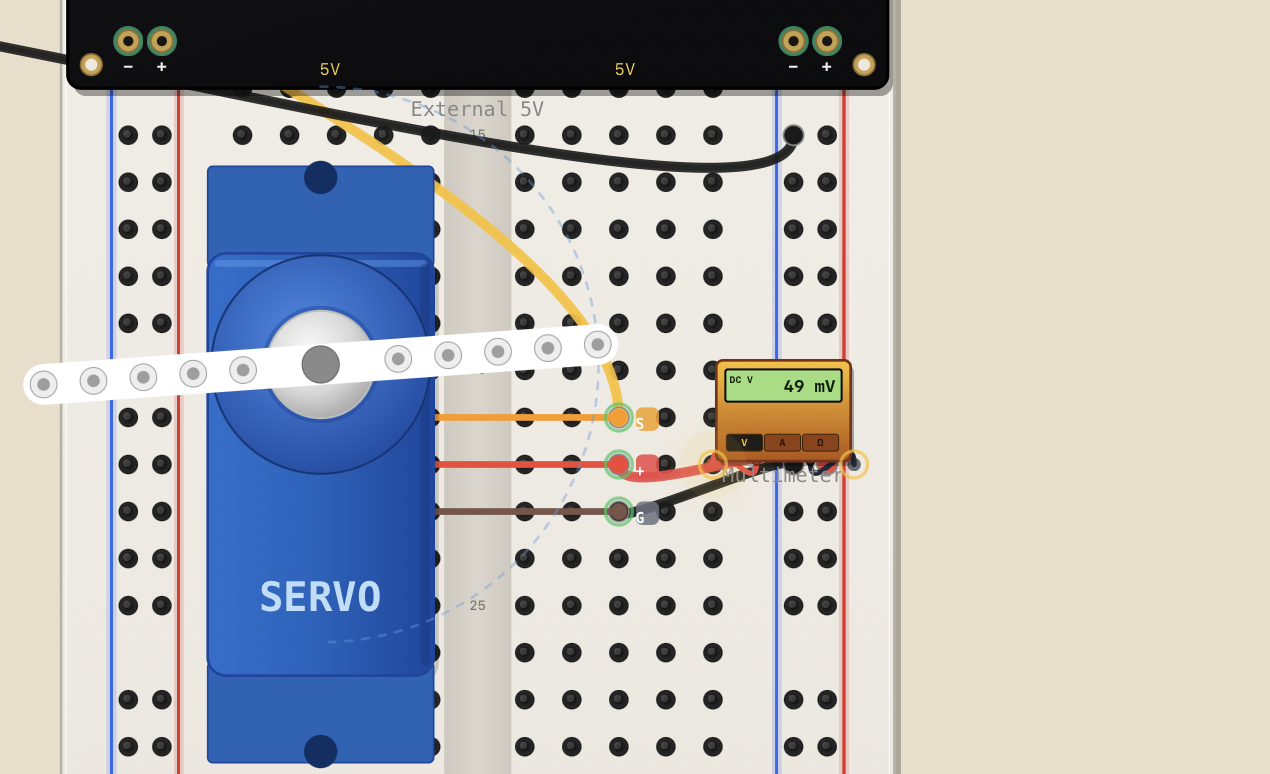
A 30-row breadboard with power rails, targeting Uno, Nano, Mega 2560, and RPi Pico. Around 30 built-in parts snap to the grid and connect through the internal bus strips. The same board renders as a flat schematic-style canvas or as a 3D scene built from real GLB part models — and you can author entirely new parts in a declarative DSL.
Code and circuit, together
arduino-cli compiles your sketch into the exact .hex an Uno would run, and avr8js executes it cycle-by-cycle across the core AVR peripherals. Underneath, a patched SPICE engine solves the surrounding circuit as a transient system, with capacitors, inductors, BJTs and MOSFETs integrated over time rather than approximated.
Build it by hand or with help
You can place and wire components yourself, or describe a circuit and let the assistant create a typed first pass. The design is checked before it is applied, and the same tools are available from the chat panel, the CLI, or an MCP client.
From an empty board to a running circuit.
- TP1Describe
Start with a circuit
Describe the circuit in plain English and the assistant creates a typed first pass: parts, wires, and a sketch. You can inspect it, change it, or start from an empty board instead.
DESCRIBEMP4 - TP2Wire
Or build it yourself
Around 30 parts snap to the grid and connect through the breadboard's real bus strips. Every edit re-derives the schematic beside it — the same board, drawn two ways.
WIREPNG - TP3Run
Compile it, then run it
arduino-cli compiles the sketch against avr-gcc and avr8js executes the resulting .hex cycle-by-cycle. The compiler output stays visible while the board runs beside it.
RUNMP4 - TP4Libraries
Bring in the libraries
Browse the official Arduino Library Index from inside the workspace. Built-in libraries such as Servo, Stepper, and NeoPixel are ready to use alongside your sketch.
LIBRARIESPNG - TP5Docs
Keep the system legible
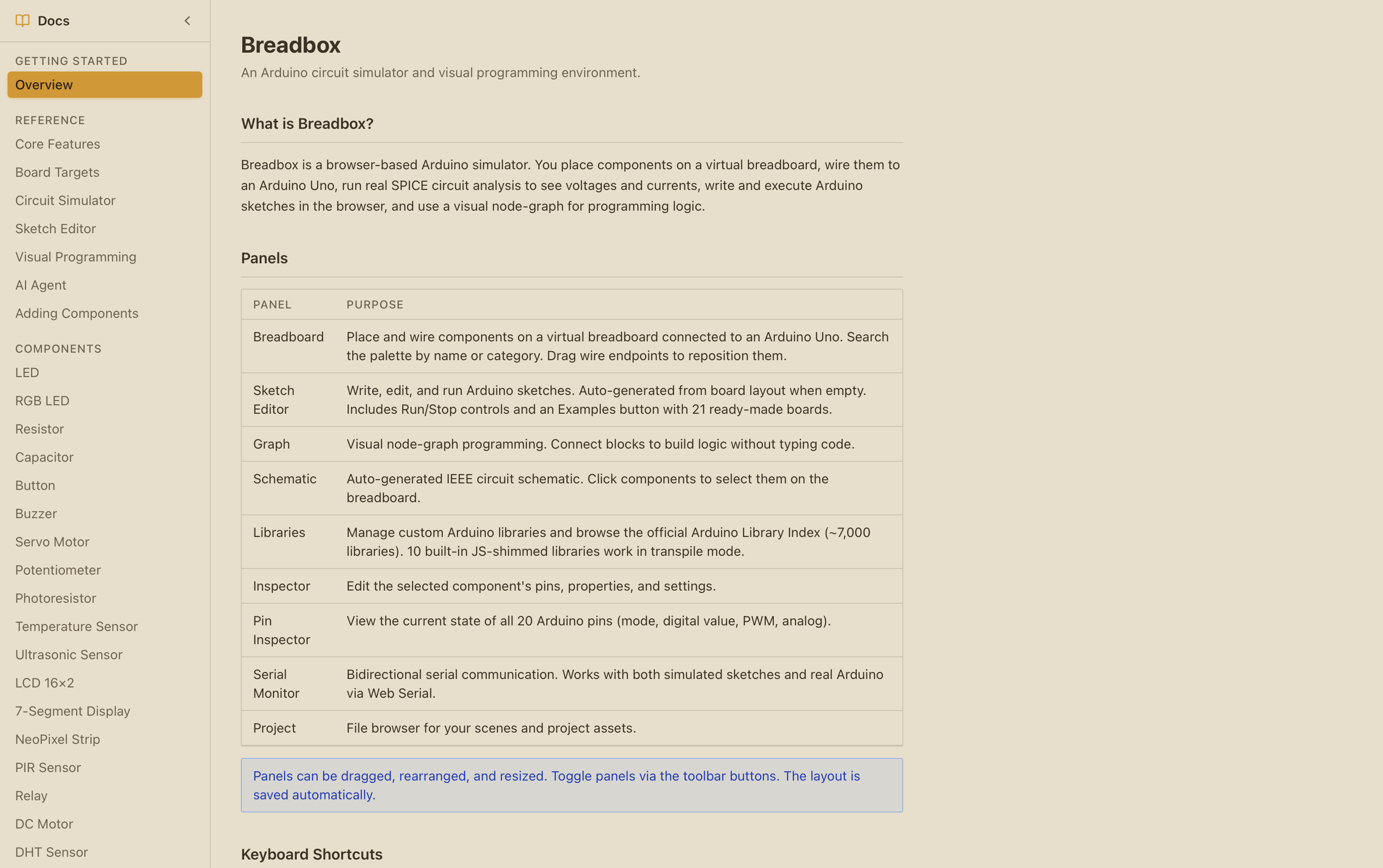
The docs collect the panels, board targets, circuit simulator, sketch editor, libraries, and component reference in one place while the product keeps growing.
DOCSPNG - TP6Observe
See the whole workspace
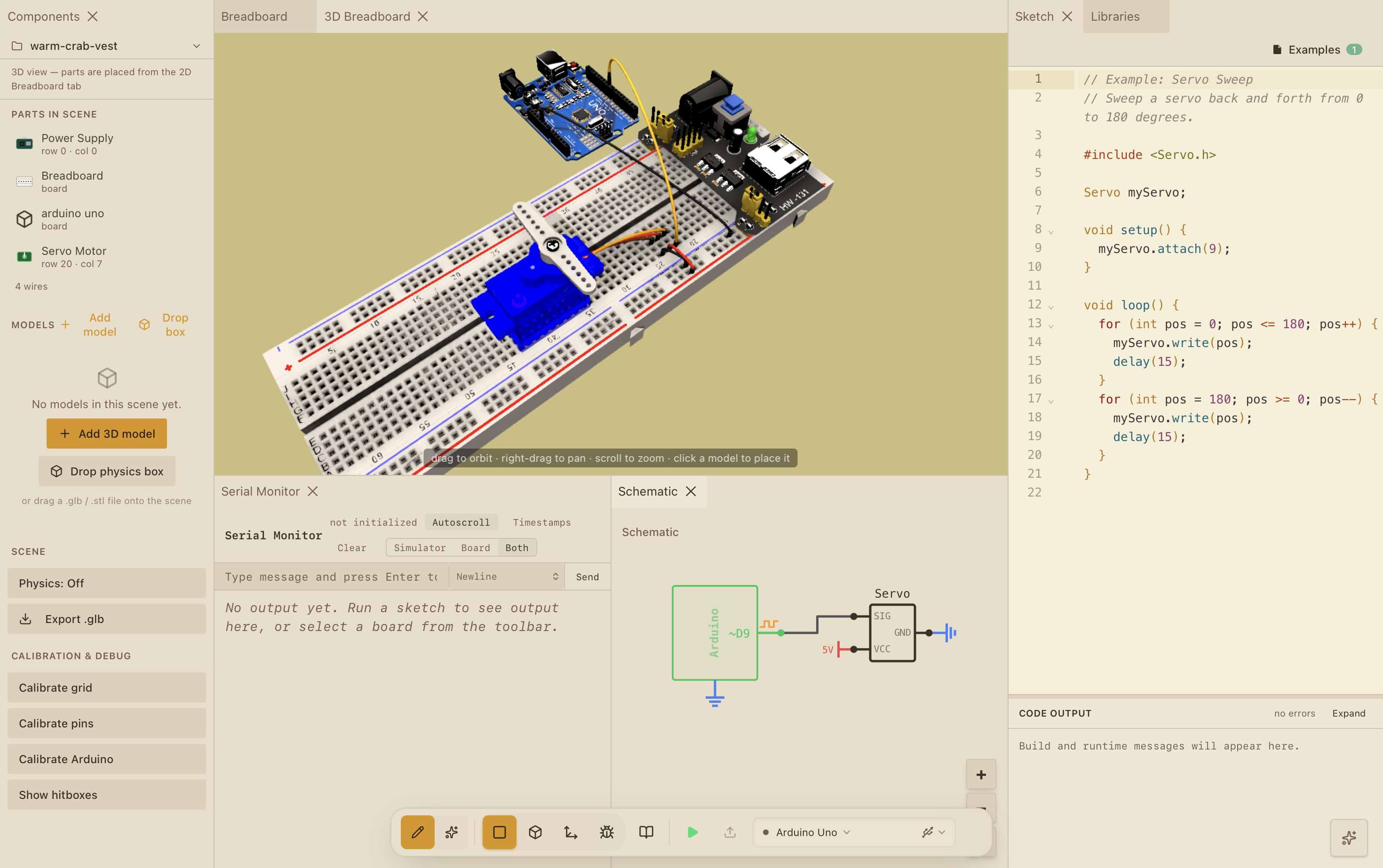
The 3D board, schematic, serial monitor, and sketch stay open together. You can move between physical layout and electrical intent without losing the circuit you are testing.
OBSERVEPNG - TP73D
Open the 3D view
Flip the workspace and the circuit rebuilds as a three.js scene from real GLB part models, with jumper wires routed around the parts they pass over.
THREE-DPNG - TP8Live
Read the generated schematic
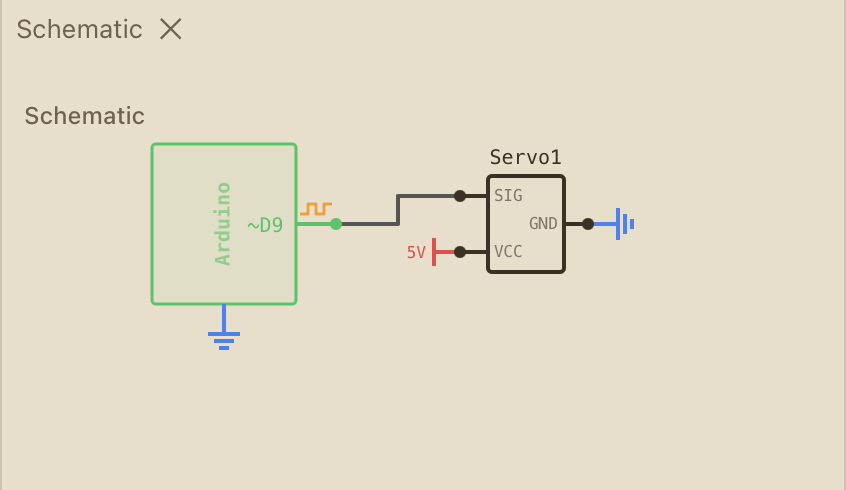
The schematic keeps signal, power, and ground visible at a glance. It is another view of the same board, so changes made in the workspace can be checked against the circuit before you run it.
LIVEPNG
The pieces underneath.
The parts I had to make work together.
Compile and run
RunSketches go through arduino-cli and avr-gcc, then run as firmware in avr8js. The AVR path includes the peripherals most sketches use: interrupts, timers, USART, I2C, SPI, and EEPROM. Pico sketches can run through rp2040js, with some USB and PLL limits.
Circuit simulation
SpiceThe board becomes a SPICE netlist and is solved over time by a patched spicey. Capacitors, inductors, BJTs, and MOSFETs have models of their own, and the solver runs in a Web Worker with ngspice checks in CI.
Three.js breadboard
3DGLB part models, wires routed around the parts they cross, a transform gizmo, and an assembly editor for mounting your own models onto a servo horn or stepper shaft. The same board can be inspected flat or in space.
A circuit assistant
AgentThe assistant works with a typed diagram instead of guessing at pixels. It checks a design before applying it, can help repair a board that misbehaves, and warns when a circuit would over-draw a rail.
Control it from Claude or Cursor
MCPThe MCP server exposes the project through 20 stdio tools. An external client can read the board, change it, and let the open canvas pick up the edit from disk without a reload.
Components are data
RegistryEach part has one definition for its footprint, renderer, pins, electrical model, and sketch behavior. There are about 30 built-ins, plus a small DSL for making your own parts.
A place to test motion
PhysicsThe Physical Test workspace connects AVR firmware to fixed-step bodies, joints, actuators, and sensors. Run, pause, step, reset, and save a scene when a circuit needs to move as well as light up.
A workbench I can keep extending.
Breadbox started as a small browser experiment for wiring parts and running sketches. It has since moved closer to the hardware: arduino-cli compiles the sketch, avr8js runs the resulting .hex, and the circuit is solved as a transient system. Capacitors charge, inductors ring, and transistor behaviour comes from the circuit model instead of a UI shortcut.
The main design decision is to keep one description of a part across the whole app. That definition feeds the 2D view, the 3D view, the pin resolver, the electrical model, and the saved project. The same idea makes custom parts possible without creating a separate path for every renderer.
It ships as a single-file binary and a Tauri desktop app for macOS and Windows, with the whole web UI embedded in the executable and a signed auto-updater. There is no cloud to sign into: the board, the sketch, and the parts you author are files on your disk — which is also what lets an MCP client edit them and have the open canvas redraw a half-second later.